


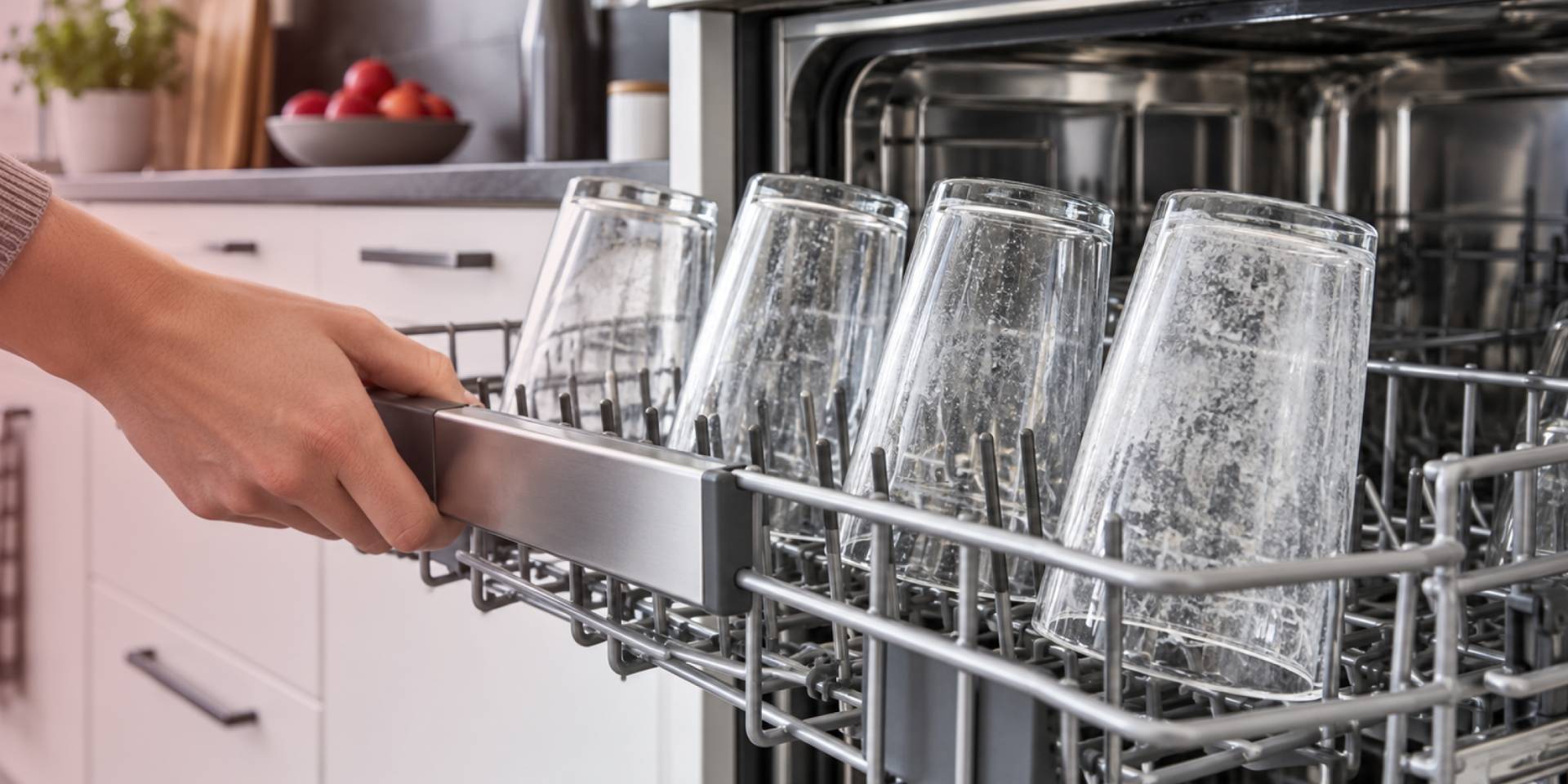

Dishwashers are supposed to leave glassware clean and clear, but sometimes glasses come out looking cloudy, hazy, or covered in a dull film. That cloudiness can happen for several reasons, including hard water, detergent buildup, loading habits, or even permanent damage to the glass itself.
You may notice it when unloading a glass that looked perfectly clear before the wash but now appears milky or dull. Before trying to remove the cloudiness, it helps to know whether you’re dealing with a removable film or permanent etching.
Is It Cloudy Film or Permanent Etching?
Before changing the dishwasher settings, determine whether the cloudiness is on the surface of the glass or has become permanent. Cloudy film is usually caused by mineral deposits or detergent residue and can often be removed. Etching, on the other hand, is damage to the glass surface itself and cannot be reversed.
A simple way to check is to rub a small amount of white vinegar on the cloudy area. If the haze starts to disappear, you are likely dealing with removable mineral buildup. If the glass stays cloudy, the surface may be etched.
In that case, cleaning will not restore the original clarity, but adjusting your dishwasher habits can help prevent the same damage from happening to other glasses.
Check Your Water Hardness
Hard water contains minerals such as calcium and magnesium that can stay behind on glassware after the water dries. Over time, those mineral deposits can create the cloudy or milky film you see after a dishwasher cycle.
If cloudy glasses keep coming back, it is worth checking your home’s water hardness. You can use a home water test kit or check with your local water provider. Once you know whether your water is hard or soft, you can adjust the detergent and rinse aid according to your dishwasher and detergent instructions.
Check the Detergent Amount
More detergent doesn’t necessarily mean cleaner glasses. The amount you need depends partly on your water hardness, and using too much or too little can affect how your glassware comes out.
This is especially important if your home has soft or softened water. Too much detergent in soft water can contribute to permanent etching, while hard water may require more detergent for effective cleaning. Follow your detergent's instructions and your dishwasher’s recommendations rather than automatically filling the dispenser.
Check How You Load the Dishwasher
Even the right detergent can't do its job if it never reaches your glasses. Loading dishes so they block the spray arms or sit too close to the detergent dispenser can keep water and detergent from reaching everything evenly, which shows up as spotting or film on whatever got missed.
Give glasses enough space for water to circulate freely around them, and load according to your owner's manual, since rack layouts vary widely between models. If you've been packing the racks tightly to fit more in one load, that's worth revisiting if cloudiness has been a recurring issue.
Clean the Dishwasher
Buildup inside the dishwasher can also contribute to cloudy glassware. Check the filter, spray arms, and detergent dispenser for food debris, mineral deposits, or dried detergent that may interfere with water flow or proper detergent release.
Clean these areas according to your dishwasher’s maintenance instructions, and check the interior for any visible film or scale. If mineral buildup is present, use the cleaning method recommended for your specific model rather than assuming the same cleaner is safe for every dishwasher.
How to Prevent Cloudy Glasses
A few habits can help keep glassware clear and reduce the chance of cloudy film or permanent etching:
- Use the detergent amount recommended for your water hardness rather than automatically filling the dispenser.
- Use rinse aid when appropriate for your water conditions, especially if hard-water spotting is a problem.
- Leave enough space between glasses so water can circulate around them, and avoid blocking the spray arms or detergent dispenser.
- Use dishwasher cycles and settings that are appropriate for your glassware. Long, high-temperature wash cycles can increase the risk of etching in some conditions.
- Clean the dishwasher regularly according to your model’s maintenance instructions.
You do not need to change everything at once. Start with your water hardness and detergent amount, then adjust your load size and dishwasher settings if cloudy glasses persist.
When Cloudy Glasses May Point to a Dishwasher Problem
If cloudy glasses continue even after you have adjusted the detergent, checked your water conditions, improved the loading, and cleaned the dishwasher, look for other signs that wash performance may be declining. Dishes that remain dirty, recurring drainage problems, water that does not heat properly, or a detergent dispenser that fails to open may point to an issue with the dishwasher itself.
At that point, professional diagnosis can help determine whether the problem can be repaired. If the dishwasher is older, has required several repairs, or the repair estimate is high relative to the cost of a new model, replacement may be worth considering.
If replacement turns out to be the better option, browse dishwashers at Elite Appliances and Cabinets to compare available models and find one that fits your kitchen and household needs.